

Apply again
1
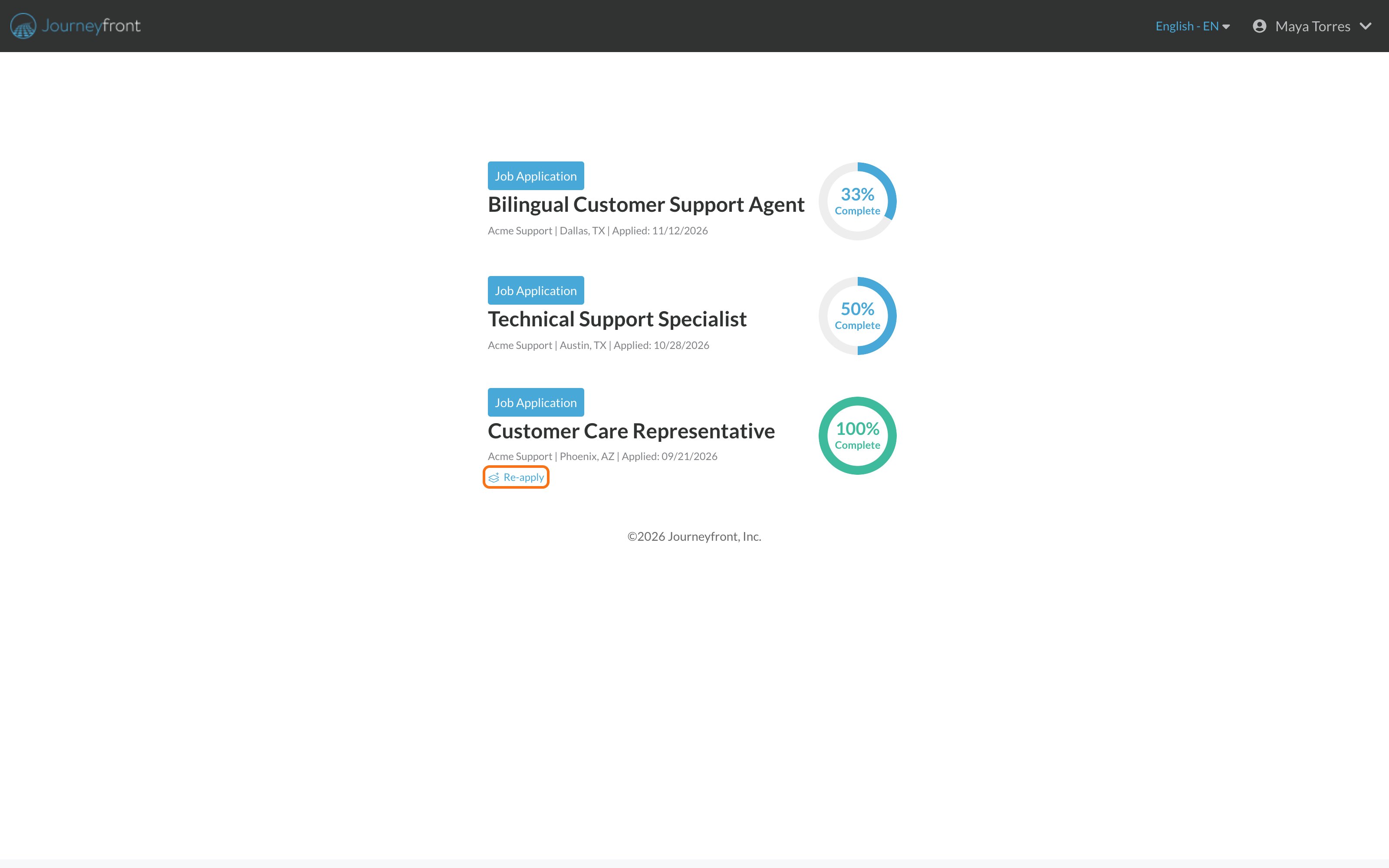
Sign in and go to your progress page
Find the job’s card.
2
Click Re-apply
The link is on the card. If you don’t see it, applying again isn’t open for this job right now.
3
Confirm
You’ll see Are you sure you want to re-apply to this position? Click Yes.
Common questions
I don't see Re-apply
I don't see Re-apply
Applying again isn’t open for this job yet. The employer may not allow it, or the waiting period isn’t over. You can also look for other open jobs on the employer’s careers page.
I clicked Re-apply and nothing happened
I clicked Re-apply and nothing happened
Refresh the page and try again. If it still doesn’t work, contact support at support@journeyfront.com.
Do I need a new account?
Do I need a new account?
No. Use the same email and password.
Related
Applied twice by mistake?
Avoid duplicate applications.
Your candidate portal
All your applications in one place.