

Your profile and your application form
You have one profile. The application form for a job shows your profile details, plus any extra questions that employer added. See Your application form.- Your profile details, like your name, email, phone number, address, LinkedIn and resume, are the same for every job. If you change them in My Profile or on any application form, they change everywhere.
- Education and work history is kept separately for each employer.
- Answers to an employer’s own questions stay with that employer. Some are saved just for that one job.
Edit your profile
1
Open My Profile
Sign in, click your name in the top right corner (or the menu icon on a phone), then click My Profile.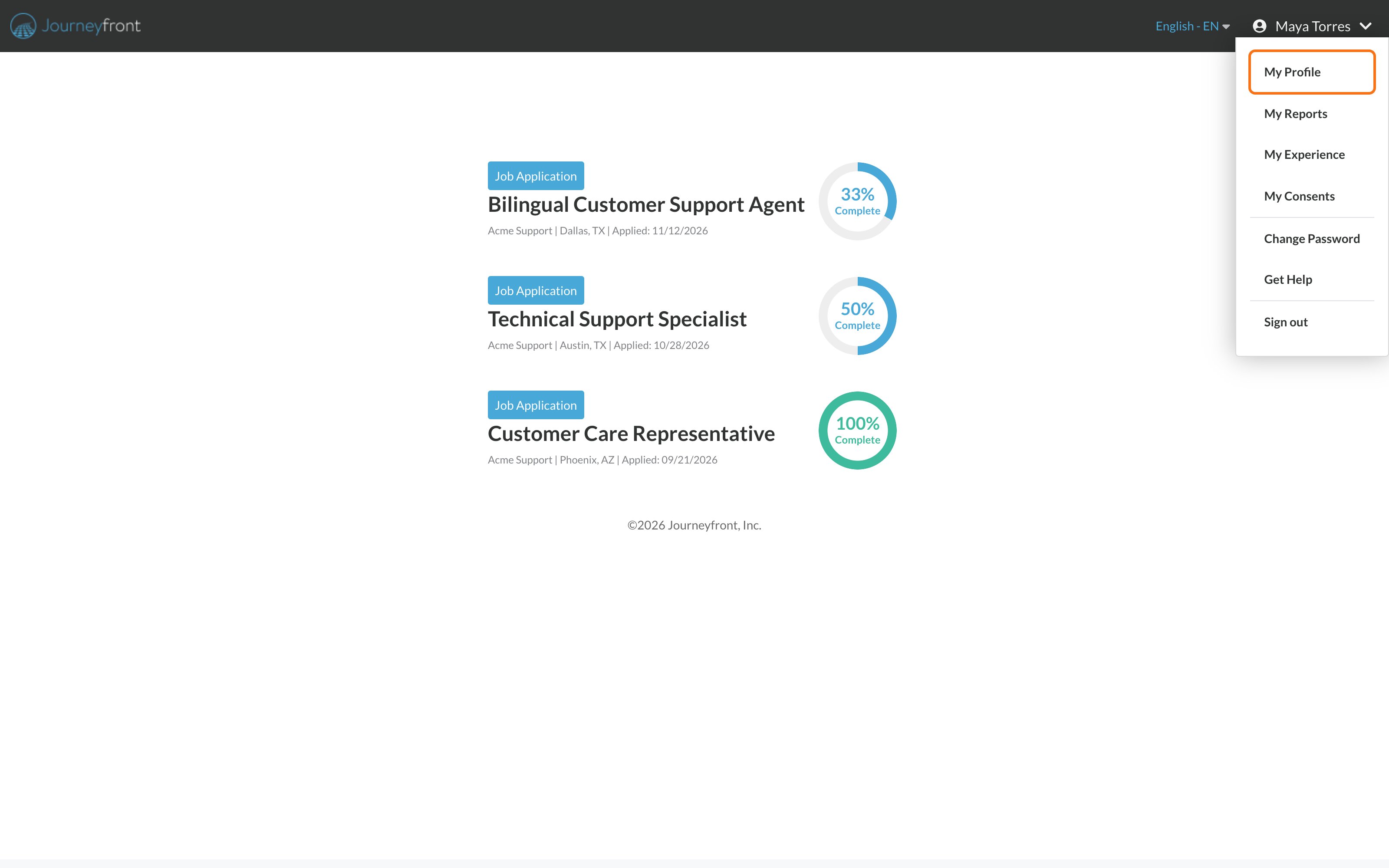
2
Make your changes
Update the fields you need. Some fields are required by the employer and can’t be left empty.
3
Click Save
Save turns on once you’ve changed something and every required field is filled in.
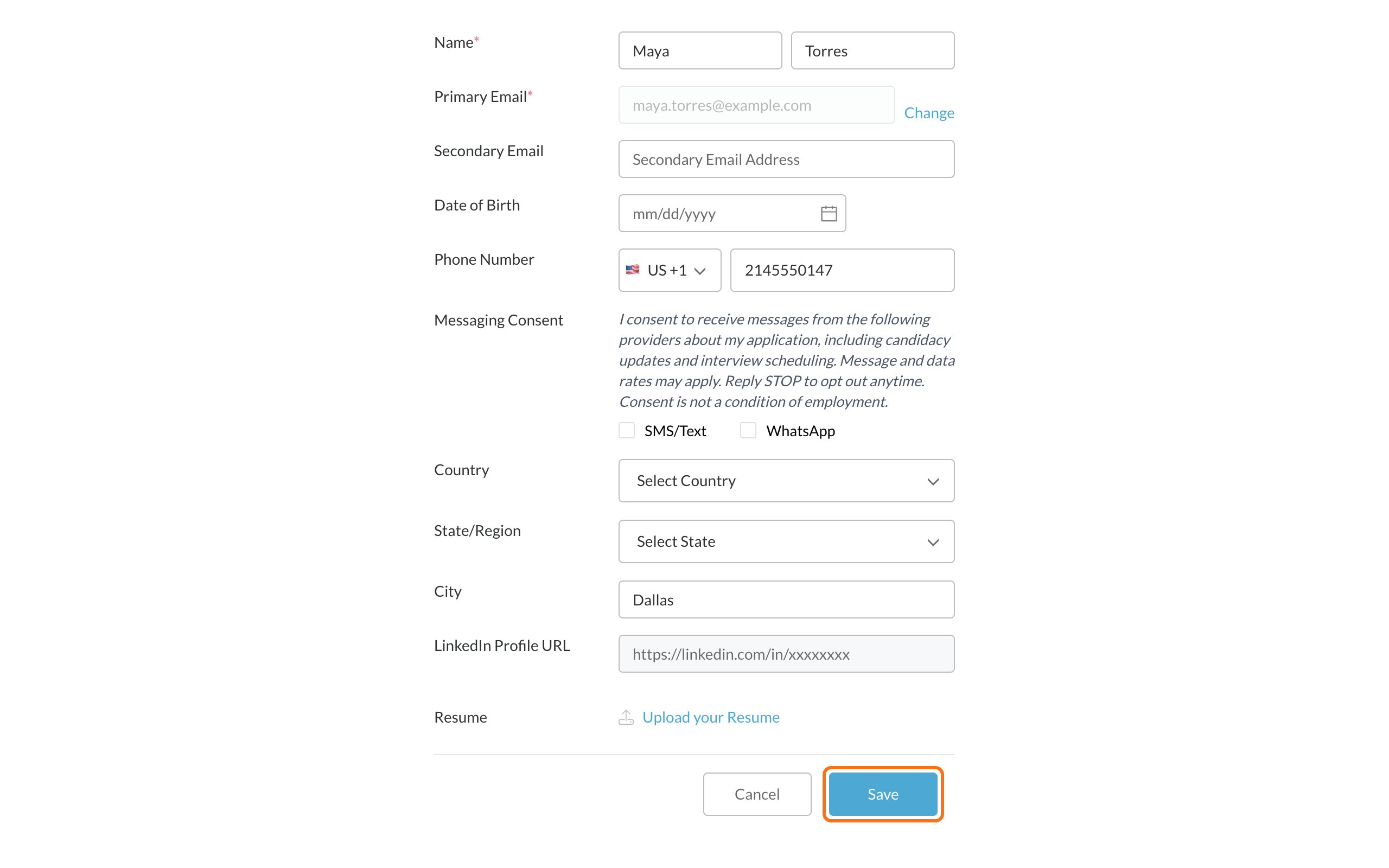
- First and last name
- Email address
- Phone number, and whether you agree to get texts or WhatsApp messages
- Date of birth
- Address
- LinkedIn profile
- Resume
- Education and work history
- Other questions the employer asks
If you don’t see My Profile in the menu, the employer has turned it off. Contact the employer to update your information.
Change your email
1
Click Change
On My Profile, click Change next to your email.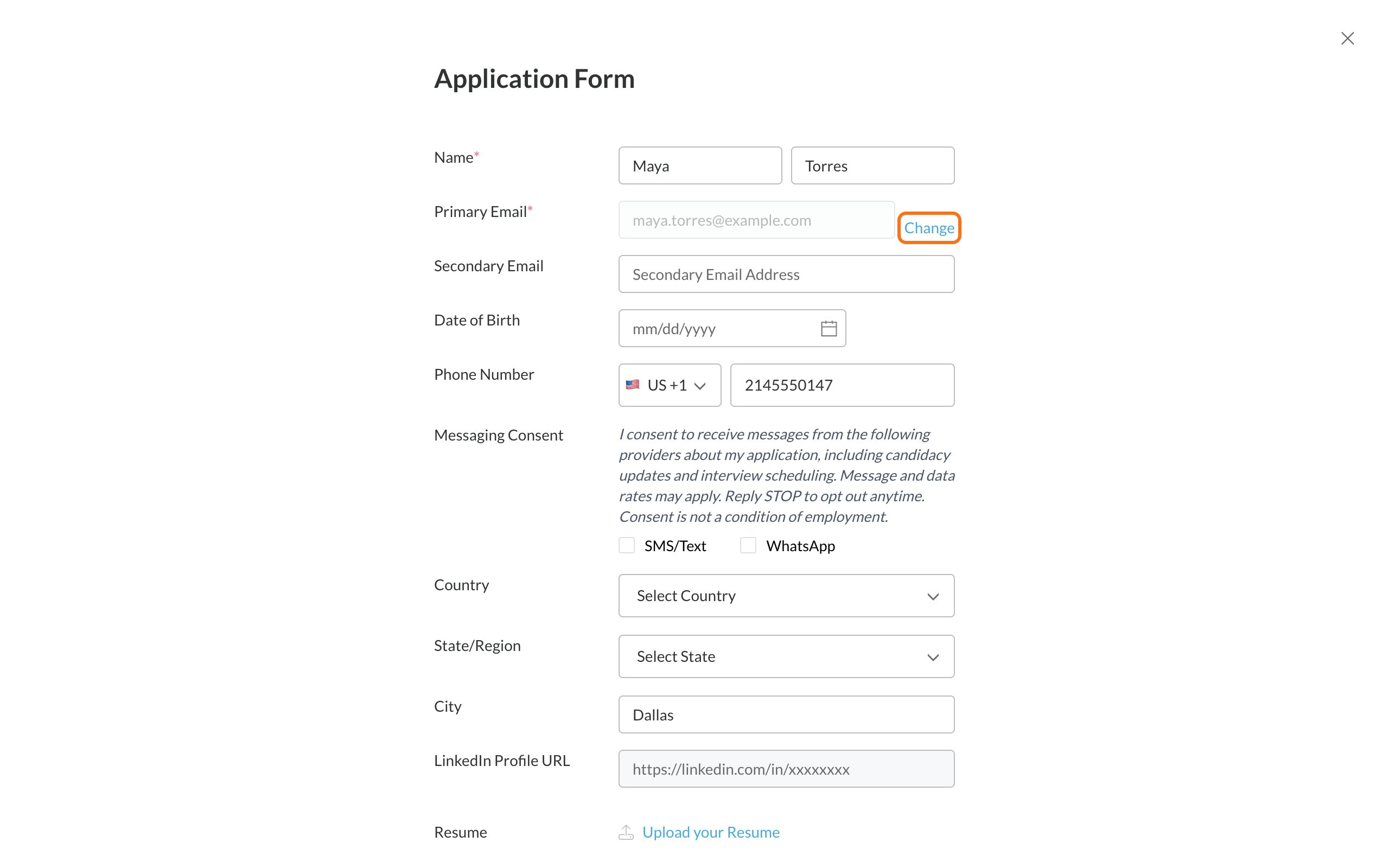
2
Enter your new email and password
Type your New Email and your current Password, then click Save.
3
Sign in again
Your email changes right away and you’re signed out. Sign in again with your new email and the same password.
Change your resume
On My Profile, click Upload your Resume. If you already have a resume, click the upload icon next to its file name instead. See Upload your resume for file types and fixes.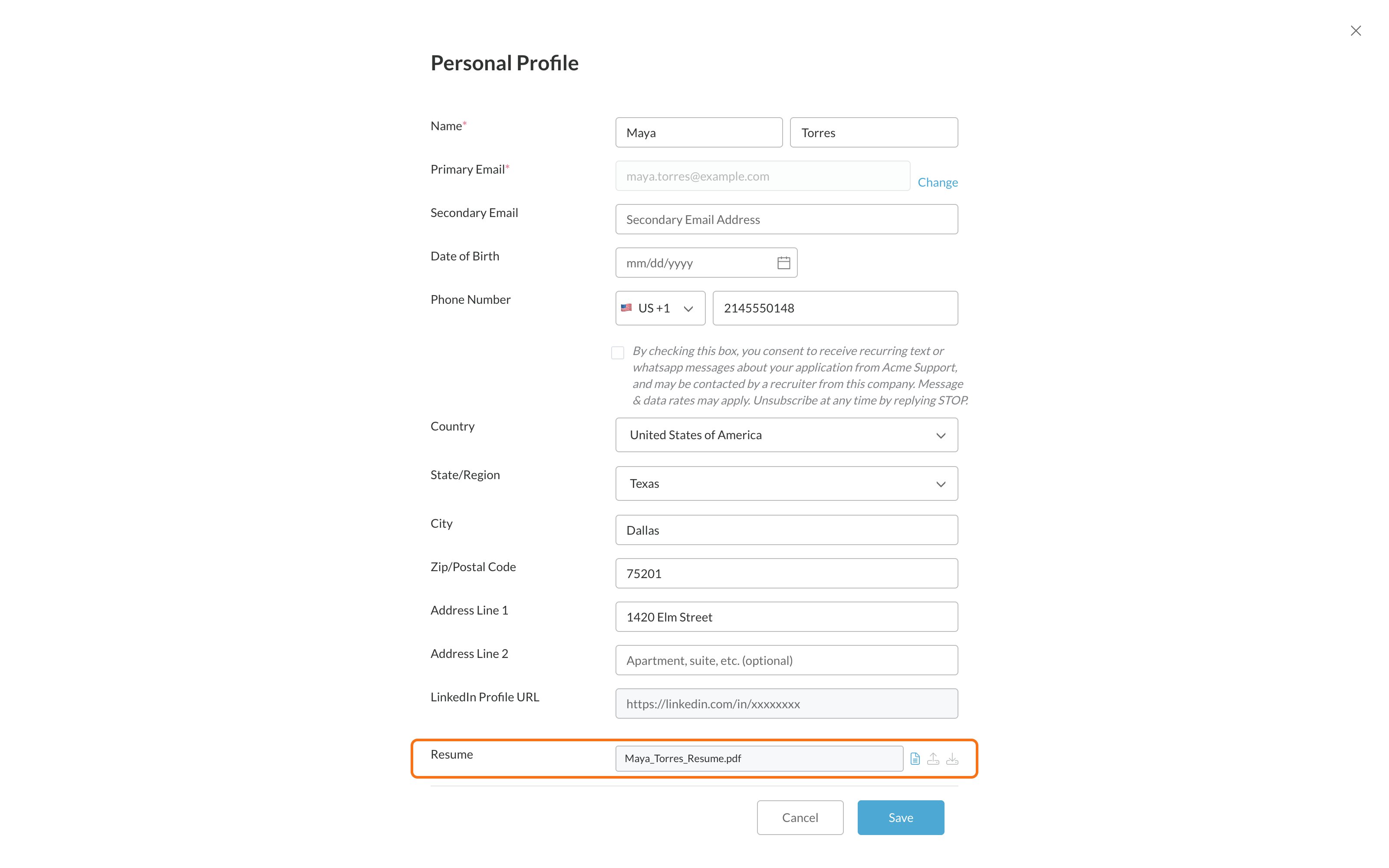
Turn off text messages
On My Profile, uncheck the box under your phone number and click Save. You can also reply STOP to a text. See Stop text messages.Common problems
Save won't turn on
Save won't turn on
Look for a red message under a field. Common ones:
- The first name field is less than 2 characters: names need at least 2 letters.
- The Date of Birth field is required: enter it as mm/dd/yyyy.
- A valid LinkedIn URL is required: paste the full link to your LinkedIn profile, or leave it empty if it’s optional.
It says to sign the required consent forms
It says to sign the required consent forms
If you see Please sign the required consent forms before continuing, scroll down and sign the forms on the page. Then click Save. See Sign consent forms.
Will the employer see my changes?
Will the employer see my changes?
Yes. Every employer you applied to sees your updated profile.
Related
Your candidate portal
Everything in your account.
Upload your resume
File types and upload fixes.