

One account for every application
You use one account, with one email and password, for every job you apply to through Journeyfront. That’s true even if the jobs are with different employers. When you sign in, you land on your progress page. It shows every application in one place, each with its own card.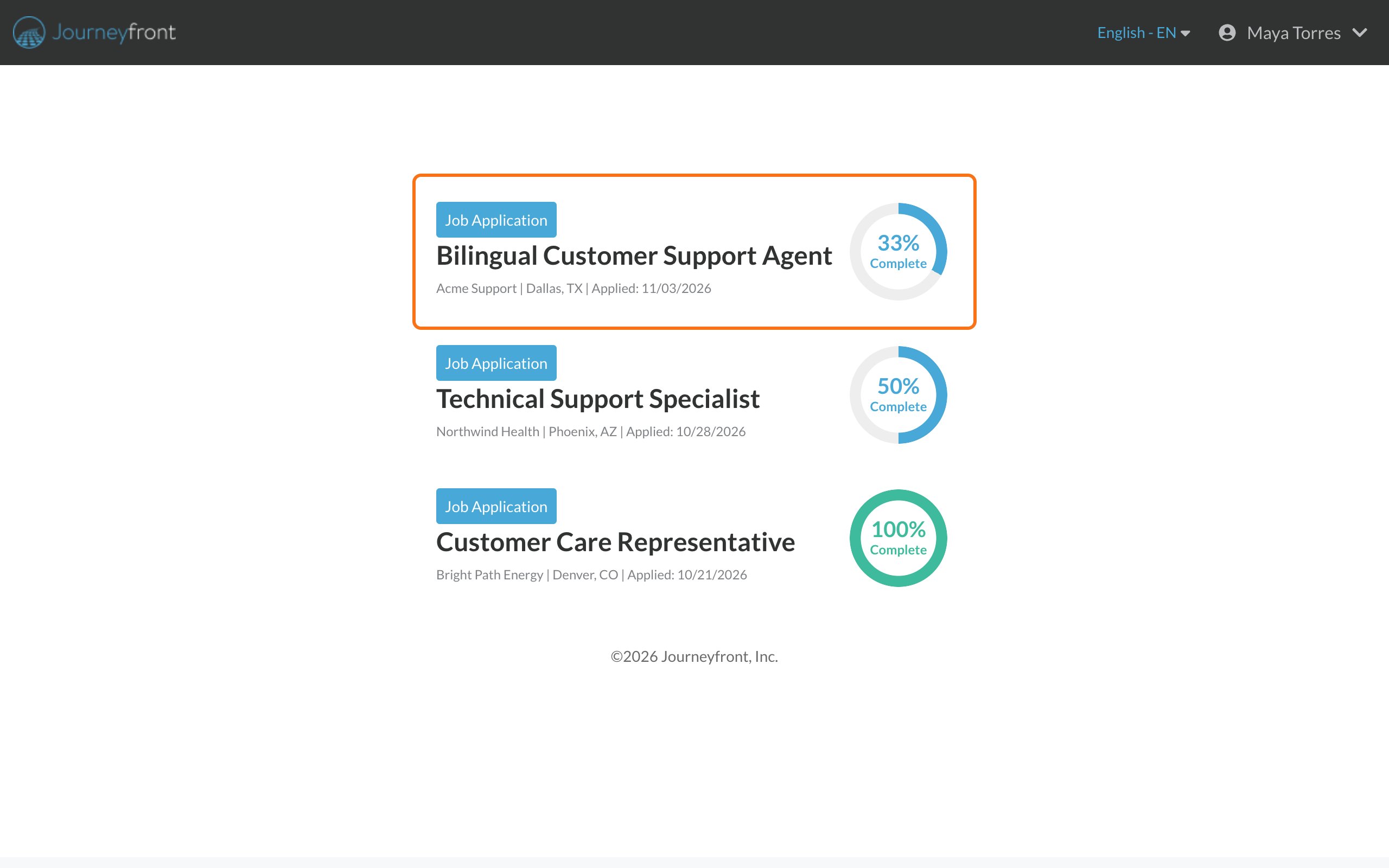
What’s in your portal
Your progress page
Your home page. Where a page links back to it, the link says Home. One card for each job you applied to, with the employer, location, the date you applied and how much you’ve completed.
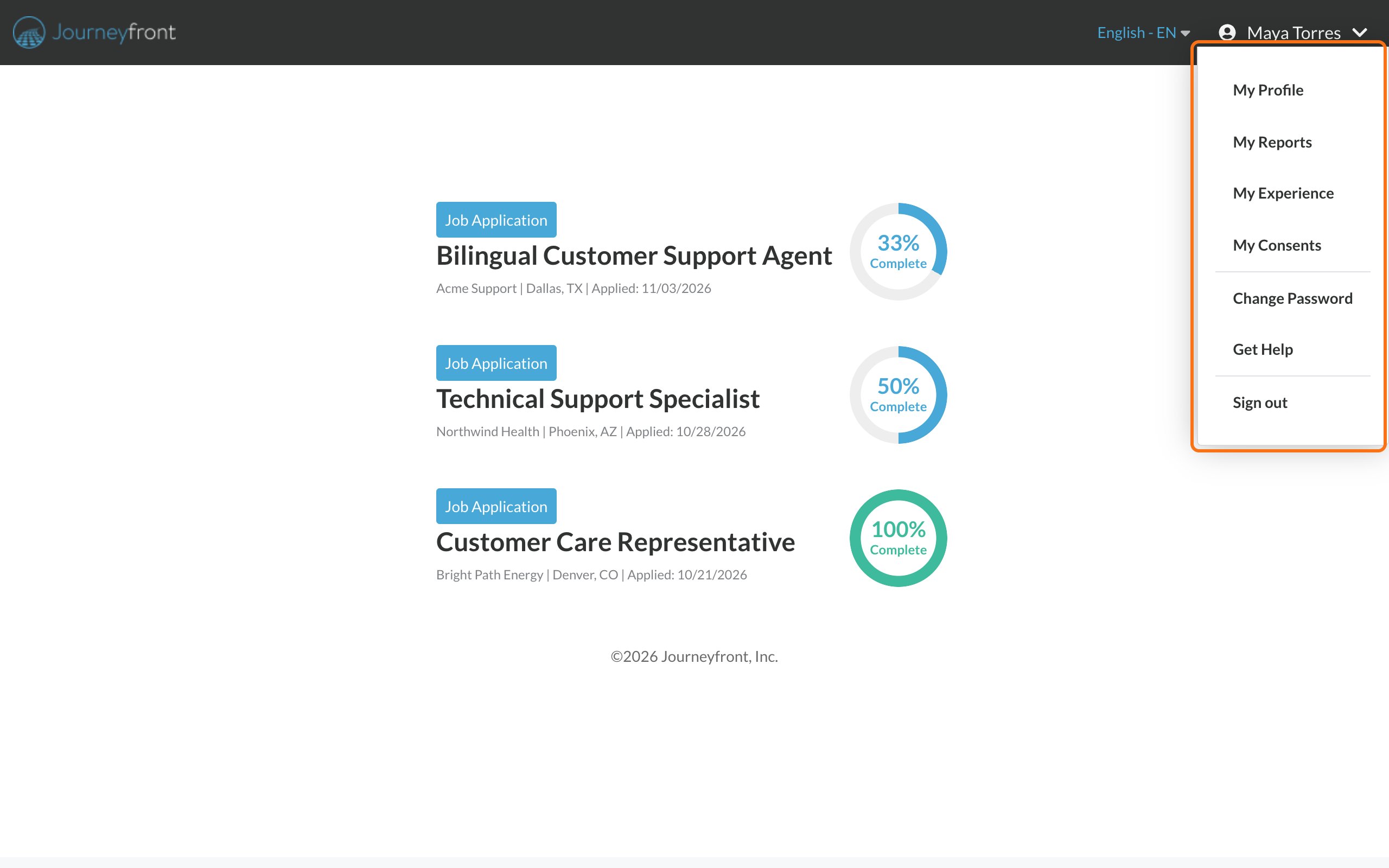
My Profile
Your name, contact details, resume and other information. See Update your profile.
My Consents
The consent forms you’ve signed, to view or download. See Find forms you’ve signed.
Change Password
Set a new password. See Reset your password.
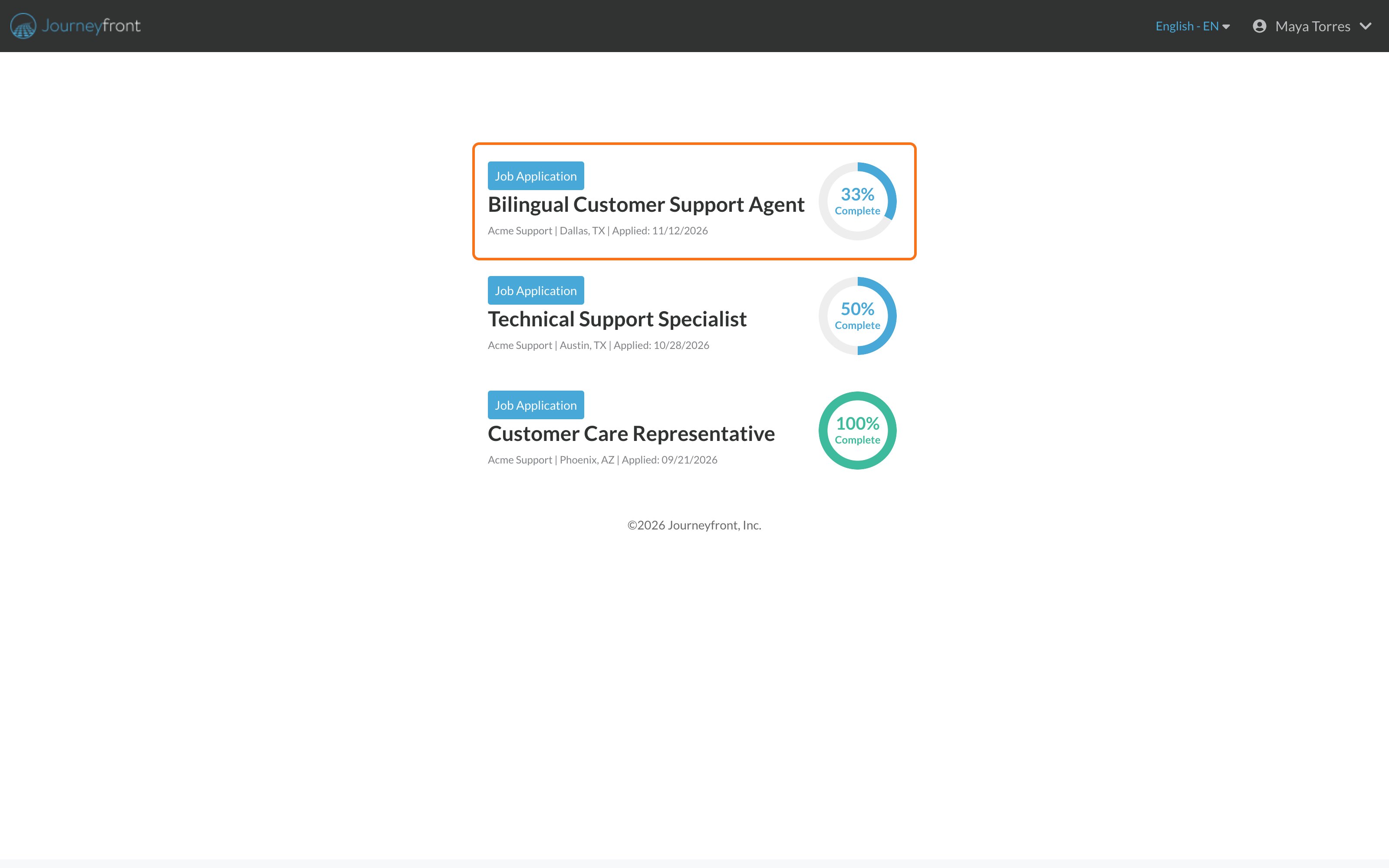
Each application card
A card shows:- The job title
- The employer, city and state
- Applied: the date you applied
- How much of your application is complete, as a percent
Get to your portal
Sign in from any job link or email from an employer, with the email and password you created when you first applied. See Sign in to your account.Common questions
Do I need a new account for each employer?
Do I need a new account for each employer?
No. Use the same email and password. Your applications to every employer show up together.
Can employers see my other applications?
Can employers see my other applications?
No. Each employer only sees the applications you sent to them. Your portal shows all of yours together so you can keep track.Your profile and resume are shared, though. Every employer you applied to sees the latest version.
Where do I see if I got the job?
Where do I see if I got the job?
Your portal shows what you’ve completed, not hiring decisions. The employer contacts you about next steps. See What happens after you finish.
Related
Track your application progress
What’s done and what’s next.
Sign in to your account
How signing in works.